
Policy Planner
Improving Firewall Operations through Change Automation
WHY POLICY PLANNER?
Ensure that the right firewall changes are made at the right time using fewer resources.
USE POLICY PLANNER TO:
- Assess risk of requested access.
- Proactively analyze proposed changes for policy compliance.
- Reduce cost of documenting compliance.
- Improve firewall administrator’s efficiency.
- Enable business, technical and compliance change review.
FEATURES:
- IT change workflow enhancement
- Integration with existing business systems
- Prevention of risky access requests
- Documentation of approvals
As enterprise networks and device configurations continue to grow in complexity, managing and implementing change has become more and more difficult. Manual upkeep of ever-changing demands on network access and security is nearly impossible. This approach is not only time consuming; it leaves room for error along the way.
Policy Planner for FireMon Security Manager automates change workflow, recommends rule changes, analyzes impact of proposed changes and documents the purpose and ownership of rules.
WHAT IS POLICY PLANNER?
FireMon Policy Planner is a change workflow solution that automates the change process and gives firewall administrators the tools they need to evolve policy and protection over time. This web-based module collects user requirements, recommends rule changes, provides detailed risk assessment of requested changes and supports full system audits and verification. Policy Planner works alongside existing business-process automation tools and enables communication throughout the change process.
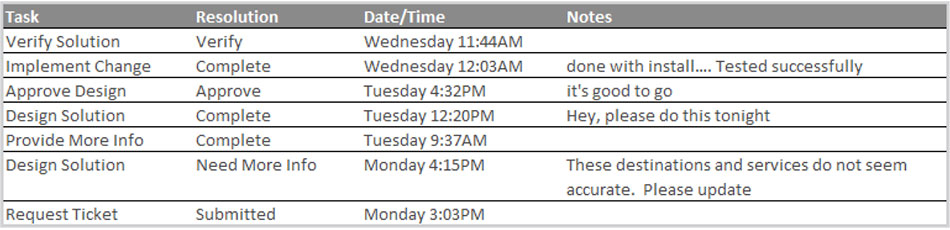
Quickly check that changes followed the appropriate validation and verification procedures.
FireMon Policy Planner augments network security change workflow with firewall-specific functions that:
- Define device-specific compliance policies and ensure that proposed changes will not violate those standards prior to implementation.
- Capture firewall fields including source, destination, service and justification.
- Eliminate engineering for requirements already satisfied by firewall policy.
- Provide technical recommendations for all necessary firewall changes.
- Assess risk exposure for new access requests prior to implementation.
- Document rule changes in FireMon Security Manager.
SOLUTION FEATURES
RAPID RISK ASSESSMENT
Assess and communicate risk associated with new access requests while keeping pace with the change and complexity happening in the network.
- Detect when new access will uncover a vulnerable system.
- Scope proposed changes prior to implementation.
- Streamline approval for access that doesn’t affect the risk profile.
- Provide analytics and visibility necessary to prevent introduction of problematic settings.
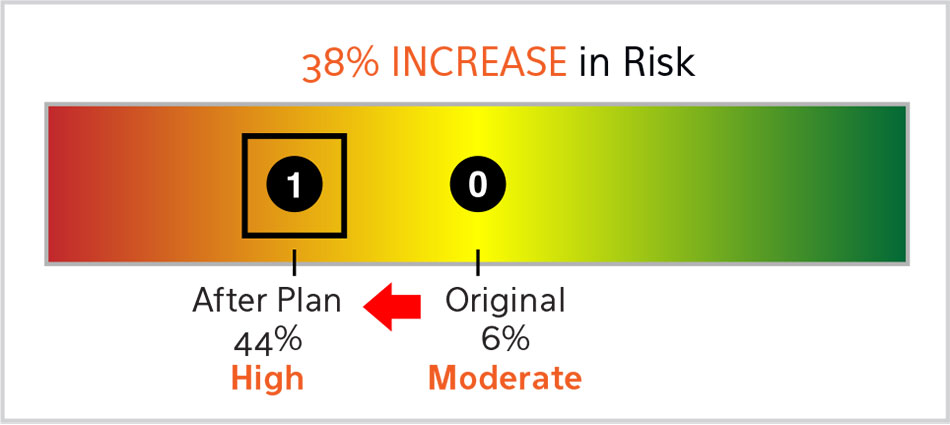
Model the effect of requested changes prior to implementation.
ADVANCED BUSINESS PROCESS INTEGRATION
Integrate Policy Planner with existing process management solutions while adhering to Business Process Model and Notation (BPMN) best practices. Using the BPMN standard, multiple teams, including business and technical users, can customize workflows, queue-specific templates and ticketing flows specific to their request.
In addition to full-text search capabilities, Policy Planner writes ad-hoc queries based on any ticketing requirements-related fields. Users can monitor open tickets via dashboard widgets or manage the engineering force using a list of open items, assignees and time-in-queue.
RULE RECOMMENDATION
FireMon Policy Planner Rule Recommendation analyzes the current behavior of rule sets and determines any necessary changes instantly. It also assists with common scenarios including:
- No Change Necessary – Policy Planner will identify when a new requirement duplicates access that is already accounted for in the standard firewall policy before the proposed engineer proceeds with implementation.
- Similar Access Exists – Policy Planner will find rules that allow similar access to a new request to avoid creation of surplus rules and complexity.
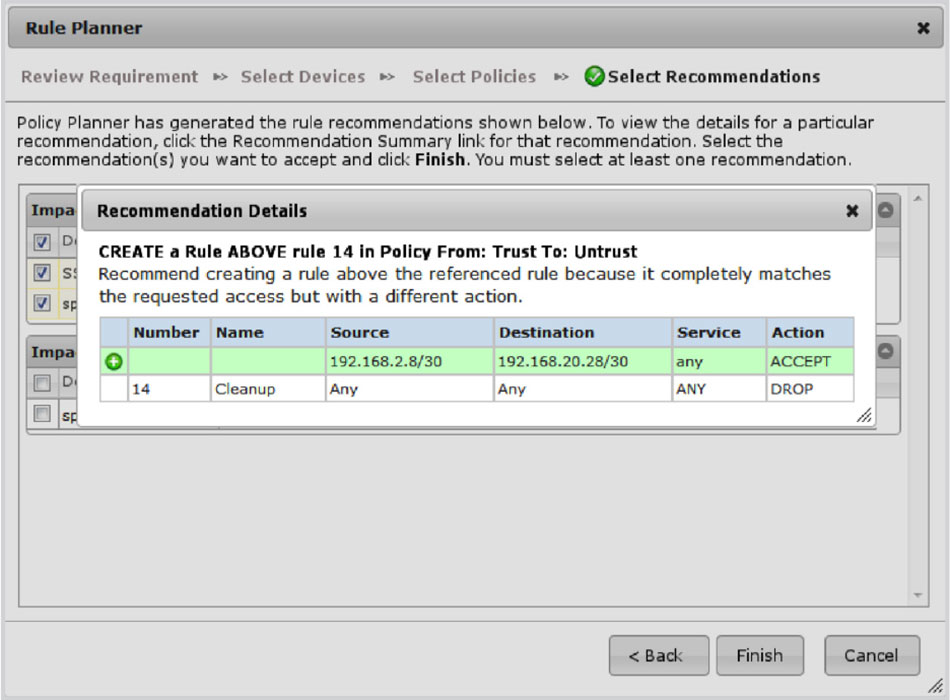
Detailed Rule Recommendations
PROACTIVE COMPLIANCE CHECKING
Ensure that newly added rules or configuration changes meet existing compliance policies and best practices during the rule planning stage. Different checks for different device groups may be configured. For example, applying corporate audit checks to all devices and adding PCI audit checks only to devices in a PCI data environment. Audit results are displayed before the rule changes are approved, showing whether or not to implement policies as currently designed.
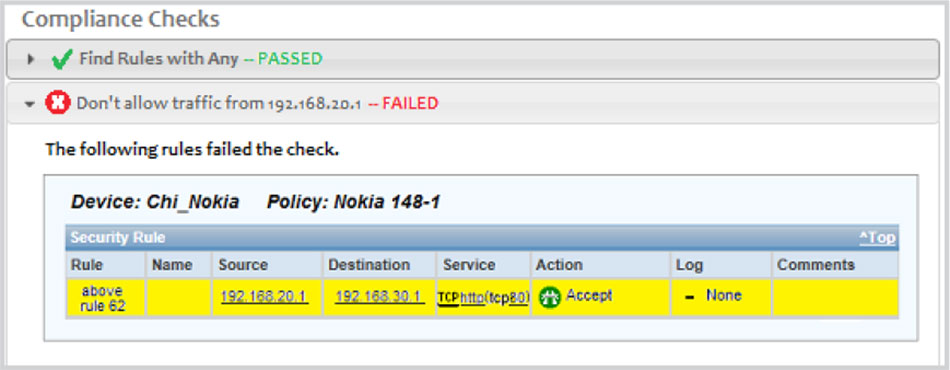
Identify proposed rules that violate existing compliance policies.