
Policy Optimizer
Improving Policy Management Through Automated Rule Review
WHY POLICY OPTIMIZER?
Quickly adapt network access to address evolving security, compliance and management goals.
USE POLICY OPTIMIZER TO:
- Validate current access with business stakeholders.
- Identify and eliminate risky and overly permissive rules.
- Ensure ongoing compliance with standards, including PCI DSS, NERC-CIP, HIPAA and SOX.
- Streamline workflow between operations and management.
- Update and document all access policies.
FEATURES:
- Single view into device policies across the network
- Event-driven rule review
- Identification of rule settings that trigger removal
IT teams at large enterprise organizations are constantly balancing network access requests with maintaining strong security policy. Traditional processes to accomplish this have been manual and inefficient, allowing troublesome or outdated rules to slip through the cracks. Network and security management teams require targeted intelligence that details justification for every access policy.
Policy Optimizer for FireMon Security Manager automates this entire process while documenting the purpose and ownership of all rules and decisions.
WHAT IS POLICY OPTIMIZER?
FireMon Policy Optimizer is a workflow solution that automates the change review process and gives firewall administrators detailed intelligence to adapt network access over time. This web-based module links security teams with policy owners, validates rule justification and quantifies the risk of requested changes for continuous assessment and audit.
Using Policy Optimizer, network security operations can automatically generate requests for rule review and approval by the teams that initially requested access. Policy Optimizer automates network security review workflow with firewall-specific functions that:
- Highlight critical security rule failures based on severity or review timing.
- Assign rule review tasks based on existing properties and documentation.
- Document all decisions and justifications in FireMon Security Manager.
- Generate information and best practices for rule modification or removal.
- Create ad-hoc reporting for review decisions.
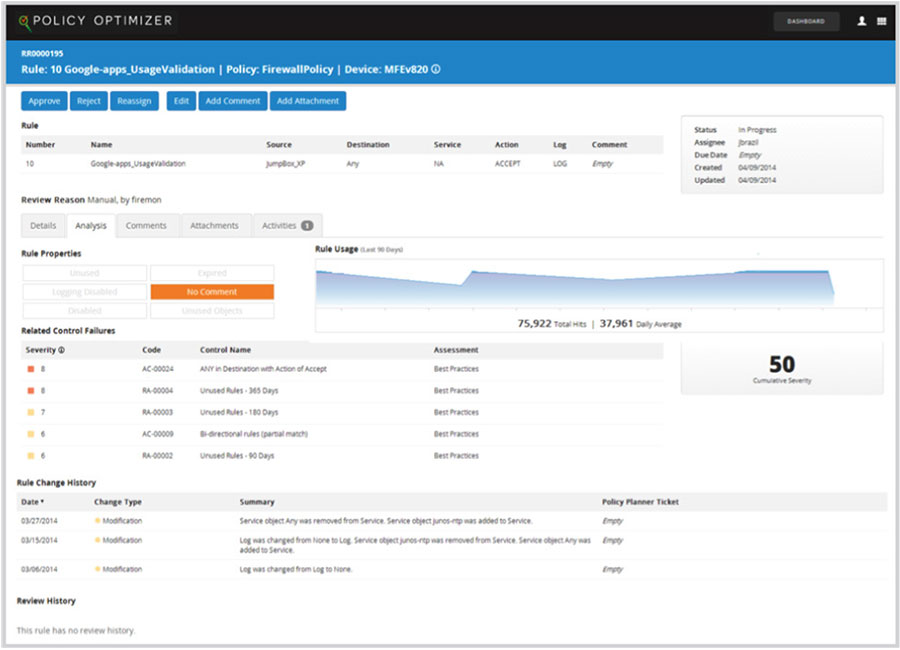
Identify rules for stakeholder review and removal.
SOLUTION FEATURES
AUTOMATED POLICY REVIEW
Assign review based on rule and policy properties and dictate removal of troublesome, outdated or undocumented rules. The integrated policy review platform eliminates inefficient, error-prone manual processes and ensures network operations’ ability to improve protection and compliance.
EVENT-DRIVEN ENROLLMENT
Automatically identify rules that demand immediate analysis as determined by real-world events such as time-frame expiration, critical security control failure, periodic review or ad-hoc query.
TARGETED INTELLIGENCE FOR RULE IMPROVEMENT
Get detailed information regarding each reviewed rule with the option to approve or reject current rule configuration. It also assists with:
- Best Practices Adoption – Quickly confer with business stakeholders and remove rules that are expired, undocumented or hidden, as well as those that have been modified from their original purpose.
- Performance Improvement – Avoid the service interruptions that can happen due to unnecessary rules reducing the productive life of a firewall.
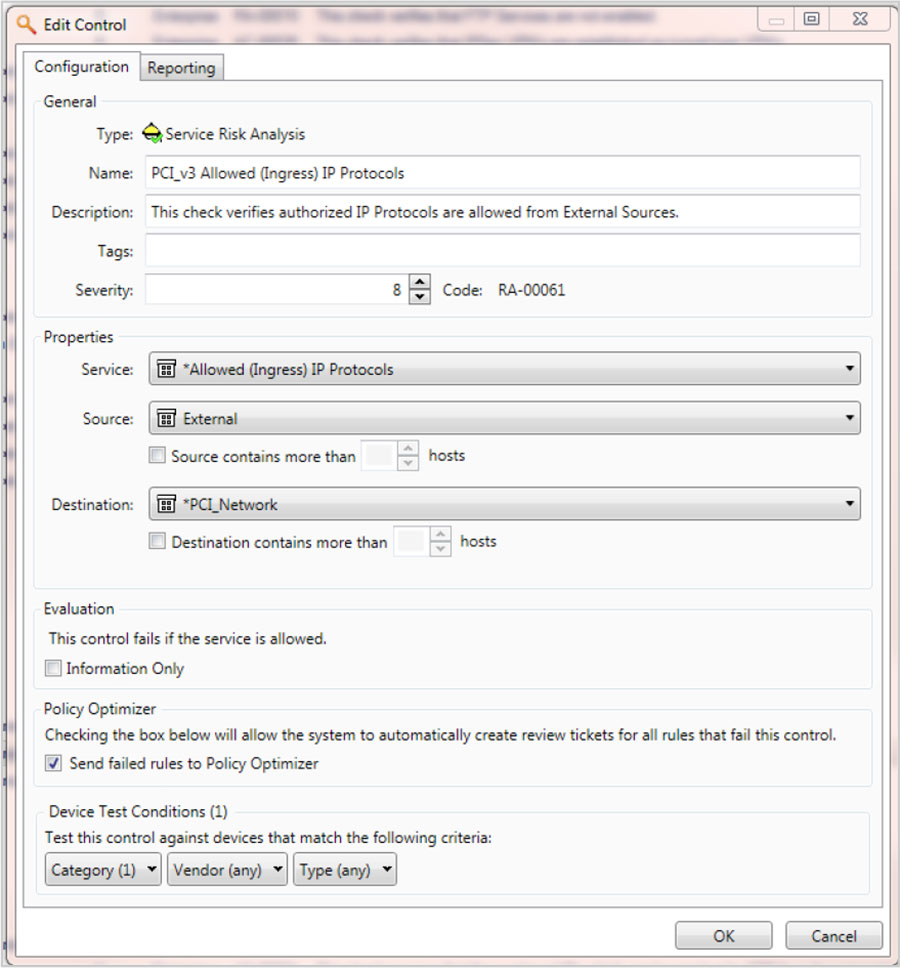
Automatically review rules based on specific requirements.
MAINTAIN COMPLIANT STATUS
Interact directly with compliance and audit staff to ensure that any modifications retain alignment with required controls and maintain a repository of change documentation for use during mandated assessments and audits.
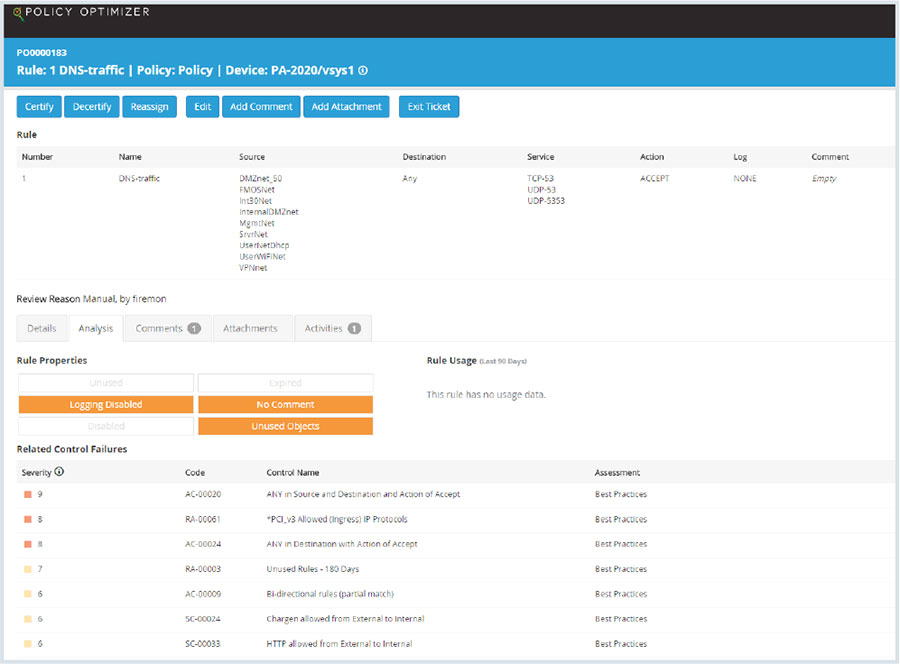
Highlight compliance factors that are driving review.
CUSTOMIZED WORKFLOW
Easily change the built-in workflow to meet your custom needs. Because it is built on BPMN 2.0 task types, you can build a workflow specific to your environment.
When integrated with the FireMon Policy Planner module, Policy Optimizer can be extended to create change tickets for removable rules and invoke application-level recommendations.
THIRD-PARTY INTEGRATION
Integrate with existing management systems seamlessly. Policy Optimizer supports numerous connection points throughout the change process. Supported systems include:
- HP Service Manager
- BMC Remedy
- Service Now
- Proprietary Systems